
In order to add employee numbers to a set of accounts, you will need to enter the statutory database. Please follow the below to enter the numbers:
- Go to the accounts you which to add employee numbers to;
- Enter the statutory database via the left-hand toolbar;
- Go to the following location within the database (#ON57): Disclosures > Profit and Loss Account/SOCI Notes > Employees > Employees Analysis
- Enter the number of employees in the current year underneath the header Current
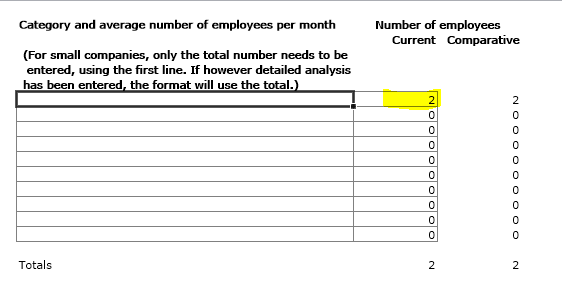 Please note: You can only amend the current year's employees within the accounting period. To amend another period's employees, you must navigate to that period.