

If you receive an error within the Errors tab of the Review and Tag module on CCH, like the above, and there is no information in the accounts which can be tagged to resolve the error, please do the following:
- Find the tag in the taxonomy which requires information attached to it. In this case, the tag is Description of principal activities.
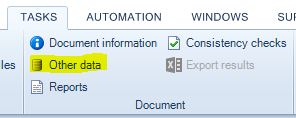
- Select Other Data in the Document header at the top of your screen. This is within the Tasks tab.
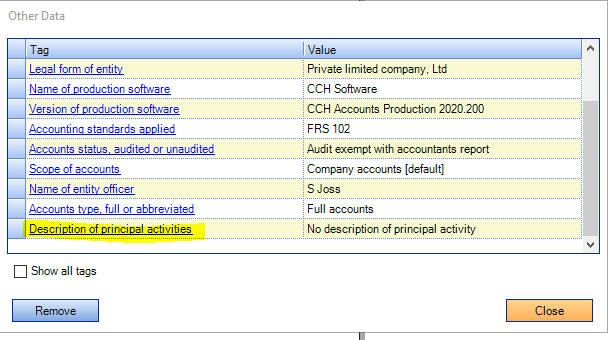
- Drag and drop the tag found in step one into the new window which has opened up. You should find this tag in the list, typically at the bottom unless you have sorted the list by name. Close this box and the error should be gone.
If the error is still present, please feel free to message us at cchhelp@aab.uk