After the 2020.1 update, finding another employee's task list involves using the filter function shown on the top left of the task list.
To apply the filter correctly do the following:
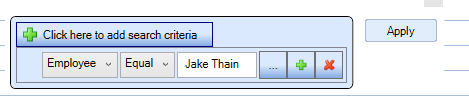
Employee EQUALS *Enter employee name here* and select apply.

Modified on: Tue, 26 May, 2020 at 11:04 AM
After the 2020.1 update, finding another employee's task list involves using the filter function shown on the top left of the task list.
To apply the filter correctly do the following:
Employee EQUALS *Enter employee name here* and select apply.
Did you find it helpful? Yes No
Send feedback