
To do this, we need to simply remove then re-attach the workflow page to the homescreen.
Within your Workflow homepage, do the following:
- Go to Customise (The gear icon) within the Homepage ribbon at the top of your screen;
- After a minute, a new window will open up on top of your CCH application. You will also see a black X at the top-right hand side of your workflow box, click on that;
- Within this new window which has opened up, select Workflow > Click-and-drag Workflows onto your homepage. (Location of this item is in the screenshot below)
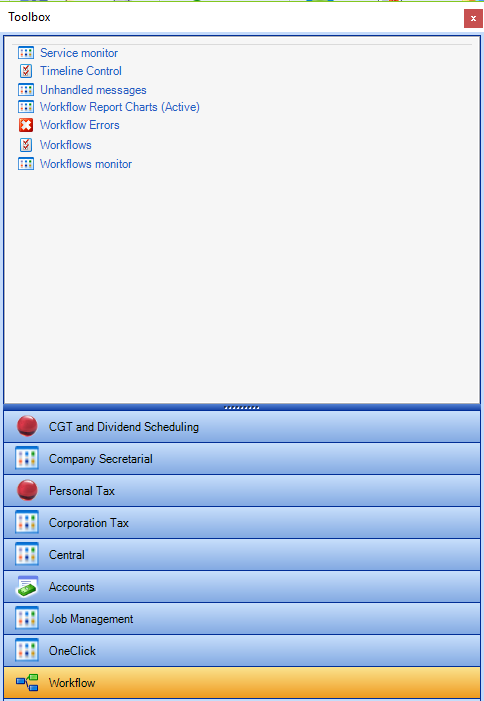
- Once on your homescreen, drag and resize the workflow item to fit your screen appropriately and select the relevant workflow, status etc which you are looking for.
- Once the above has been complete, your workflow view should show the due dates of each task in progress, else it will show the completed date instead.